
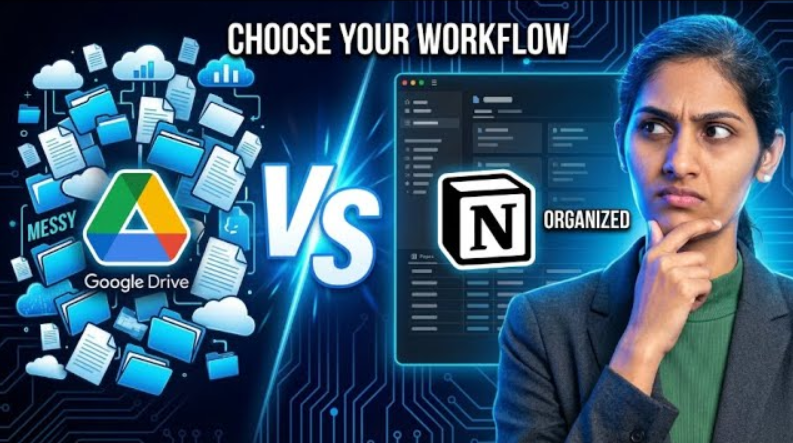
Google Drive vs Notion is one of the most important productivity comparisons today, especially for students, professionals, and creators who want better organization and workflow management.
Nowadays, whether you’re a student, working professional, creator, or startup founder, one thing is common:
👉 You are dealing with information every single day.
Files, notes, ideas, projects, tasks — everything needs to be organized properly.
But here’s the problem:
- Some people store everything in Google Drive
- Some try switching to Notion
- And many end up confused between the two
So the real question is:
👉 Google Drive vs Notion – which one actually organizes your life better?
Let’s break it down in a practical, real-world way.
🔥 Why This Comparison Matters
Before comparing tools, let’s understand something important:
👉 Organization = Productivity
If your system is messy:
- You waste time searching
- Your mind feels cluttered
- You miss deadlines
- You feel stressed
But with the right system:
- You get clarity
- Work becomes faster
- Everything feels under control
- You experience peace of mind
So this is not just an app comparison.
👉 Google Drive vs Notion is actually a comparison of thinking styles.
📂 Google Drive – Simple, Safe, and Familiar
Let’s start with something everyone knows — Google Drive.
📁 What is Google Drive?
Google Drive is a cloud storage platform where you can:
- Store files
- Create folders
- Organize documents
- Use Docs, Sheets, Slides
It’s simple and widely used.
✅ Strengths of Google Drive
✔ Extremely easy to use
✔ Seamless Gmail integration
✔ Fast sharing options
✔ Reliable backup
✔ Works perfectly for documents
For:
- Students
- Office employees
- File storage
👉 Google Drive is excellent.
⚠️ The Hidden Problem
Here’s where things start breaking.
Over time, your structure becomes like this:
- Final
- Final_New
- Final_New_Updated
- Final_Final_UseThis 😅
After a few months:
✔ File exists
❌ But you don’t know where it is
👉 This is the biggest limitation in the Google Drive vs Notion debate.
🔥 Reality Check
Even if your files are safe…
👉 If your mind is not organized, your productivity drops.
🧠 Notion – The “Second Brain” Concept
Now let’s talk about Notion — a completely different approach.
💡 What is Notion?
Notion is not just a storage tool.
👉 It’s a productivity system + workspace + thinking tool
You can:
- Write notes
- Track tasks
- Manage projects
- Create databases
- Use calendars
- Build workflows
🚀 Why Notion Feels Powerful
Unlike Google Drive’s folder system…
👉 Notion works on connection logic
Everything is linked.
📊 Real Example
Let’s say you are planning a YouTube video:
Inside Notion, you can manage everything in ONE place:
- Idea
- Script
- Shooting checklist
- Editing status
- Upload tracking
- Analytics
👉 All connected in a single system.
This is why Notion is called:
🧠 Your Second Brain
⚠️ The Notion Problem (Honest Truth)
Let’s be real.
When you open Notion for the first time:
- Blank screen
- Blocks
- Options
- Templates
Your brain says:
👉 “Is this too complicated?” 🤯
📉 Learning Curve
Yes, Notion has a learning curve.
But here’s the truth:
👉 Once you understand it, you won’t go back.
🔥 Important Insight
👉 Hard work is important
But…
👉 Without the right system, even hard work becomes inefficient
⚔️ Google Drive vs Notion – Real Comparison
Let’s break this down clearly:
- In this Google Drive vs Notion comparison, we analyze real usage.
- The Google Drive vs Notion debate depends on your workflow.
- Overall, this Google Drive vs Notion guide helps you choose better.
- This Google Drive vs Notion comparison shows clear differences.
📁 Google Drive:
- Storage-focused
- File-based thinking
- Best for documents
- Easy for beginners
🧠 Notion:
- System-focused
- Thinking-based
- Best for planning
- Ideal for advanced users
🎯 Simple Analogy
👉 Google Drive = Cupboard 🗄️
👉 Notion = Brain 🧠
You can store everything in a cupboard…
But without a brain, you can’t find or connect things.
🎯 Who Should Use What?
Here’s the most important part.
👨🎓 Students / Beginners / Office Work
👉 Use: Google Drive
Why?
- Simple
- Easy
- No learning curve
- Perfect for file storage
🚀 Creators / Startups / Managers
👉 Use: Notion
Why?
- Better planning
- Workflow management
- Content organization
- Task tracking
😎 Smart Users (Best Strategy)
👉 Use BOTH
- Google Drive → File storage
- Notion → Planning & system
This is the most powerful combination.
🔥 Final Insight
Remember this:
👉 You don’t need more apps
👉 You need the right app
When you choose the right system:
- Your life becomes simpler
- Your work becomes faster
- Your mind becomes clearer
📺 Watch Full Video
👉 https://youtu.be/2J76Le8HVSw
External Link:
👉 https://www.notion.so
👉 https://drive.google.com
❓ FAQs (SEO Boost)
Q1: Is Notion better than Google Drive?
Notion is better for planning and productivity, while Google Drive is better for storage.
Q2: Can I use both Notion and Google Drive?
Yes, using both together is the best productivity system.
Q3: Is Notion hard to learn?
Initially yes, but once learned, it becomes extremely powerful.
Q4: Which is better for students?
Google Drive is easier and better for students.
🎯 Conclusion
In the Google Drive vs Notion debate, there is no single winner.
👉 It depends on how you think and work.
If you just want to store files → Google Drive
If you want to organize your life → Notion
If you want maximum productivity → Use BOTH